USB Recording Microphone Review – Affordable Professional Audio Solution

14
1mo
Whether you're attending online meetings, recording YouTube videos, teaching virtual classes, or streaming games, poor audio quality can make a bad impression. A reliable USB microphone helps your voice sound clearer and more professional without the hassle of complicated setup. This USB Noise Cancelling Microphone is designed to deliver crisp audio with simple plug-and-play convenience.
Product Overview
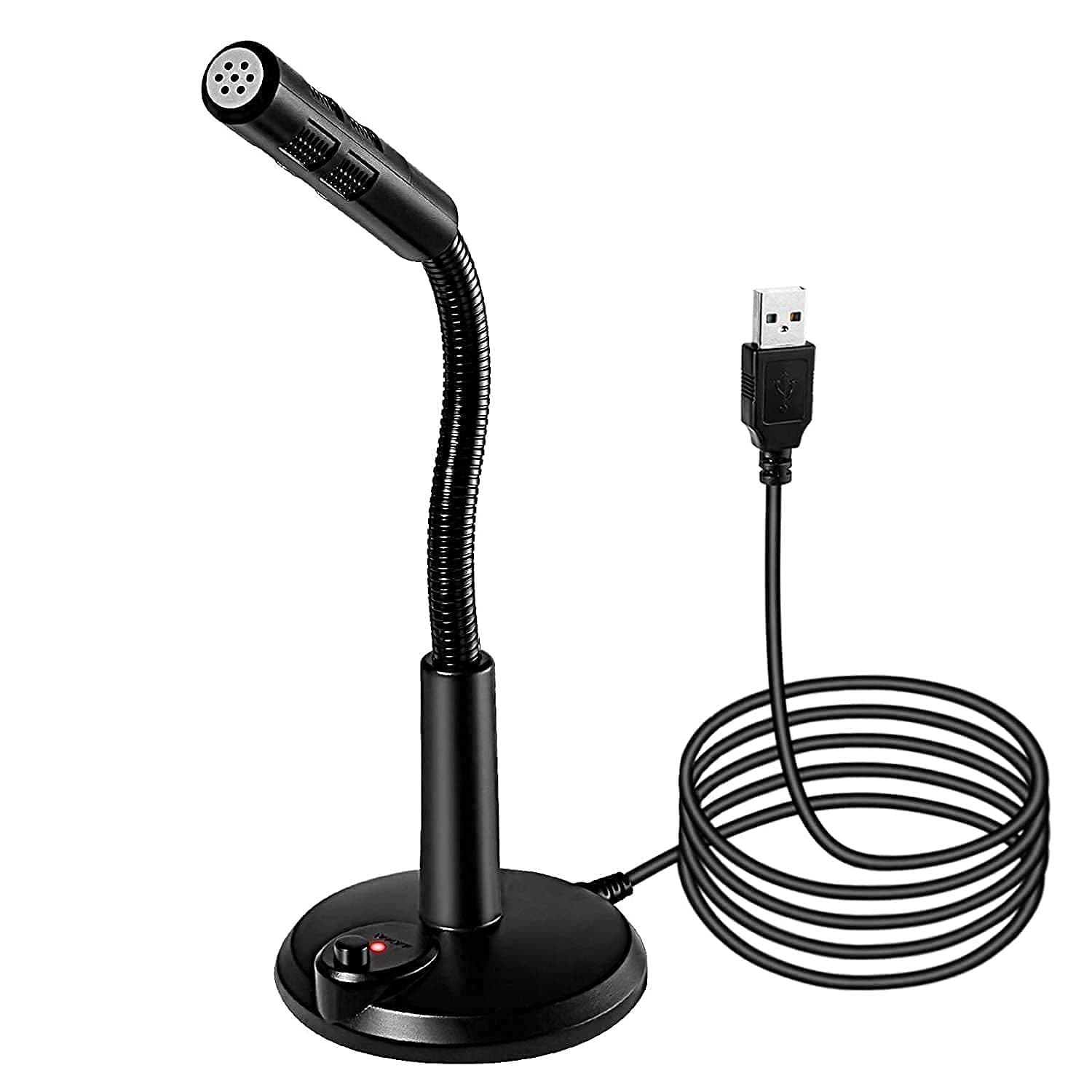
The USB Noise Cancelling Microphone is a professional desktop microphone that works with Windows and Mac computers. Simply connect it via USB, and you're ready to record, stream, or join video calls. Its noise-reduction technology helps minimize unwanted background sounds, making your voice easier to hear.
Key Benefits
- Clear and natural voice recording
- Noise-cancelling technology helps reduce background noise
- Plug-and-play setup with no software installation
- Compatible with Windows and Mac computers
- Suitable for online meetings, streaming, gaming, and recording
- Compact design fits neatly on any desk
- Stable audio quality for everyday use
- Ideal for beginners and professionals alike
- Easy to carry between home and office
- Excellent value for work and content creation
Specifications
- Product Name: USB Noise Cancelling Professional Microphone
- Microphone Type: USB Desktop Microphone
- Connectivity: USB Plug and Play
- Compatibility: Windows, Mac
- Technology: Noise Reduction
- Suitable For: Recording, Online Meetings, Streaming, Gaming, Podcasts, Online Classes
- Installation: Driver-Free
Why Should You Buy This?
If you're tired of poor-quality laptop microphones, this USB microphone is a smart upgrade. It delivers clearer voice quality, requires almost no setup, and works well for both professional and personal use. Whether you're creating content or attending daily meetings, it helps you sound more confident and professional.
Warnings / Things to Consider
- Use the microphone in a quiet room for the best results.
- Keep the microphone close to your mouth for clearer audio.
- Not intended for smartphones unless supported with compatible adapters.
- Always confirm device compatibility before purchasing.
Who Should Use This Product?
- YouTubers and content creators
- Students attending online classes
- Office professionals working from home
- Teachers and trainers
- Podcasters
- Gamers and livestreamers
- Freelancers and remote workers
- Anyone needing better voice quality on a computer
Real-Life Use Cases
- Recording YouTube tutorials and reviews
- Joining Zoom, Google Meet, and Microsoft Teams meetings
- Streaming games on Twitch or YouTube
- Recording podcasts and voiceovers
- Teaching online classes from home
- Creating social media content with clear audio
- Interviewing clients remotely
Expert Tip
For the best recording quality, position the microphone about 15–20 cm from your mouth and record in a quiet environment. During long recording sessions, drink enough water and keep your room cool to stay comfortable, especially in hot and humid weather.
Don't let poor audio affect your videos or meetings. Upgrade to this USB Noise Cancelling Microphone for clearer, more professional sound and enjoy hassle-free plug-and-play performance. Check the latest price today and improve your recording experience.
Pros | Cons |
|---|---|
1.Clear and crisp voice quality | 1.Background noise may still be heard in very noisy environments |
2.Noise-cancelling technology | 2.Best performance requires close microphone placement |
3.Easy plug-and-play installation | 3.Not designed primarily for mobile devices |
4.Works with Windows and Mac | 4.Limited advanced audio controls compared to premium studio microphones |
5.Compact and lightweight design | |
6.Suitable for meetings, streaming, and recording | |
7.Good value for money | |
8.Beginner-friendly setup |
