Fifine K054 USB Microphone Review – Best Plug and Play Mic for Recording

17
1mo
Poor audio quality can ruin an otherwise great video, online class, meeting, or livestream. If people struggle to hear you clearly, they may lose interest quickly. The Fifine K054 USB Computer Microphone offers a simple plug-and-play solution that delivers clear voice recording without complicated setup, making it a great choice for creators, professionals, and students.
Product Overview
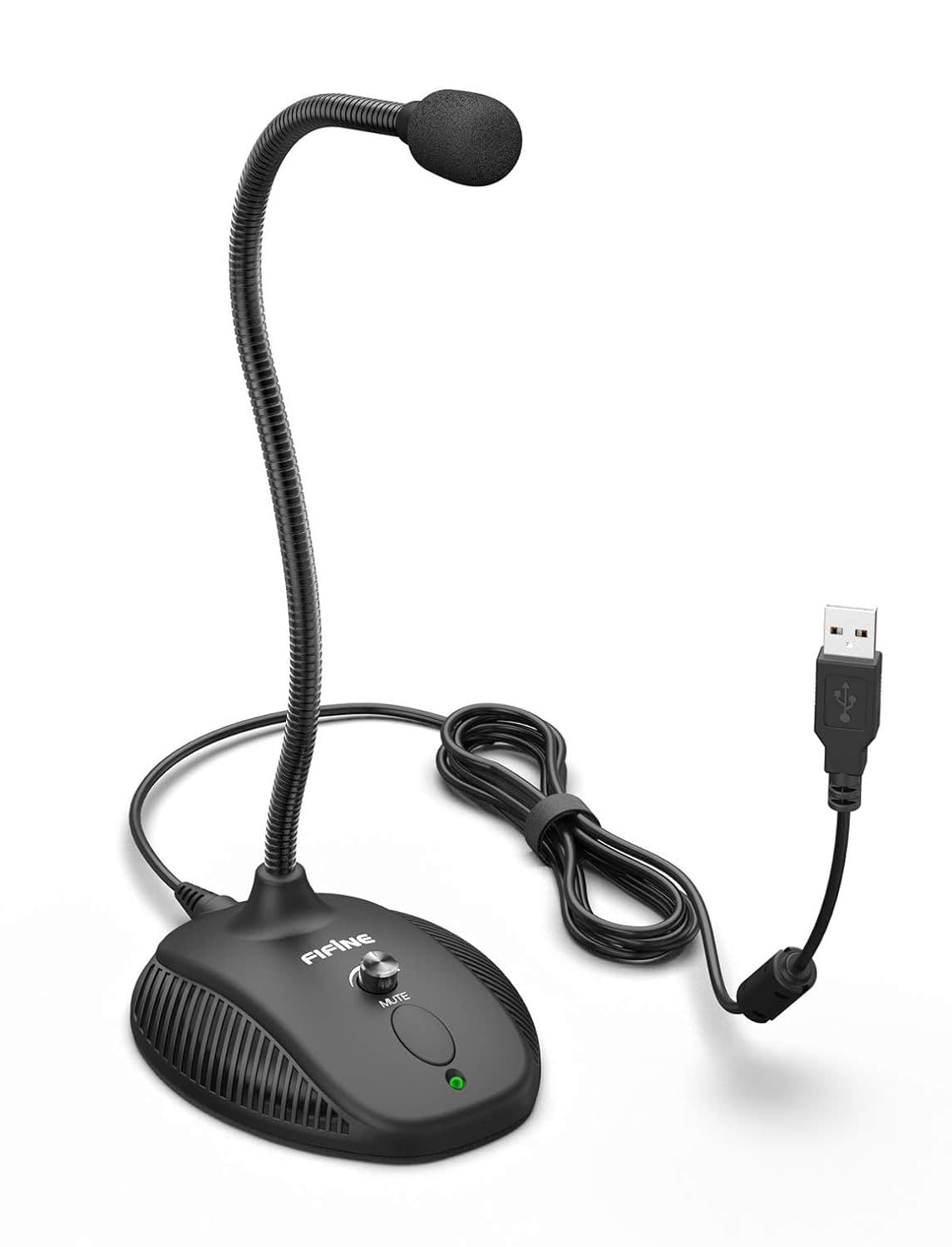
The Fifine K054 is a USB condenser desktop microphone designed for hassle-free recording. Simply connect it to your Windows or Mac computer, and you're ready to record, stream, attend meetings, or chat online. It also features a convenient mute button with an LED indicator, making it easy to control your microphone during calls or recordings.
Key Benefits
- Crystal-clear voice recording for videos, meetings, and streaming
- Plug-and-play USB connection with no extra drivers required
- Works smoothly with Windows and Mac computers
- Quick mute button for instant privacy during calls
- LED indicator clearly shows microphone status
- Compact desktop design saves workspace
- Ideal for beginners as well as experienced creators
- Suitable for recording, gaming, podcasting, and online teaching
- Reliable sound quality for everyday professional use
- Easy to carry and set up anywhere
Specifications
- Product Name: Fifine USB Computer Microphone K054
- Microphone Type: USB Condenser Microphone
- Connectivity: USB Plug & Play
- Compatibility: Windows and Mic
- Mute Button: Yes
- LED Indicator: Yes
- Suitable For: YouTube, Zoom, Recording, Streaming, Gaming, Podcasts, Online Classes
- Installation: Driver-Free
Why Should You Buy This?
If you want better audio without investing in expensive studio equipment, this microphone offers an excellent balance of quality, simplicity, and value. Whether you're attending meetings, creating YouTube content, recording voiceovers, or streaming games, it delivers clean and professional sound with minimal effort.
Warnings / Things to Consider
- This microphone works best when used close to your mouth.
- It is designed mainly for desktop or laptop use.
- Background noise may still be picked up in noisy rooms.
- A pop filter or foam windscreen can further improve recording quality.
Who Should Use This Product?
- YouTube creators
- Students attending online classes
- Work-from-home professionals
- Gamers and streamers
- Podcasters
- Voice-over artists
- Teachers conducting online sessions
- Anyone looking for better microphone quality than a laptop's built-in mic
Real-Life Use Cases
- Recording YouTube tutorials from home
- Hosting Zoom or Google Meet meetings
- Online interviews and webinars
- Streaming gameplay on Twitch
- Recording podcasts and voiceovers
- Creating Instagram and Facebook video content
- Teaching online classes
Expert Tip
For the clearest recordings, keep the microphone about 15–20 cm from your mouth and record in a quiet room. If recording for long hours, stay hydrated and keep your workspace cool and well-ventilated for maximum comfort.
Upgrade your audio without the hassle of complicated equipment. The Fifine K054 USB Microphone is an easy way to sound clearer and more professional. Check the latest price today and take your recordings, meetings, and streams to the next level.
Pros | Cons |
|---|---|
1.Excellent voice clarity | 1.May capture background noise in noisy environments |
2.Easy plug-and-play setup | 2.Not designed for mobile phones |
3.No drivers required | 3.Lacks advanced studio controls |
4.Compatible with Windows and Mac | 4.Performs best in quiet indoor spaces |
5.Convenient mute button | |
6.LED status indicator | |
7.Compact and lightweight | |
8.Great value for beginners and professionals |
